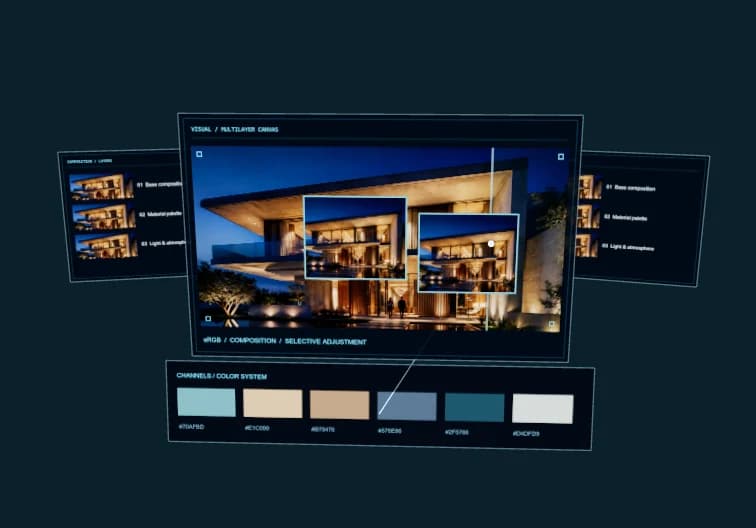
Most AI design tools are overhyped demos that break the moment you try to use them in production. These five actually work—and they'll change how you approach design work in 2026.
1. Generative Image Systems That Understand Design Constraints
The first wave of AI image generators gave you random outputs. The 2026 generation understands grids, typography hierarchy, and brand constraints. Tools like Midjourney v7 and Stable Diffusion 3.5 now accept structured prompts that specify layout zones, color palettes, and typographic styles.
Real use case: A product designer at a SaaS company generates 50 variations of a hero section in 10 minutes, each respecting the 12-column grid, maintaining readable contrast ratios, and using only approved brand colors. Instead of pixel-pushing, they're making strategic choices about which direction communicates best.
What makes it useful:
- ✓ Constraint-aware generation — respects grids, spacing systems, and brand rules
- ✓ Batch variation — test 20 concepts before your first coffee
- ✓ Smart upscaling — 4K output without the usual AI artifacts
2. Browser-Based Parametric CAD (No Installation Required)
Traditional CAD software locks you into desktop apps, local file systems, and version control nightmares.Browser-based parametric CAD using WebAssembly (like OpenSCAD compiled to WASM) runs entirely in your browser—zero installation, immediate collaboration, version history built in.
Architects and product designers are using this for technical drawings, mechanical parts, and 3D-printable prototypes. One furniture designer cut their prototyping cycle from 3 weeks to 4 days by switching from desktop CAD to a browser-based parametric system with built-in AI suggestions.
Why this matters:
Parametric design means your model adjusts automatically when you change one dimension. AI-assisted parametric CAD suggests optimal dimensions based on material properties, structural requirements, and manufacturing constraints—things that would take hours of manual calculation.
Tools to explore: CAD AI (browser-based OpenSCAD with AI assistance), Onshape (collaborative cloud CAD), and Plasticity (lightweight NURBS modeling).
3. AI Layout Systems That Actually Understand Hierarchy
Auto-layout has existed for years, but it was always dumb—equal spacing, no hierarchy, no attention to visual weight. 2026 AI layout engines analyze content importance, adjust spacing based on semantic relationships, and create visual rhythm automatically.
Example: You drop in a blog post with headings, body text, images, and pull quotes. The AI layout system:
- • Sizes headings based on content hierarchy, not just H1/H2 tags
- • Adjusts image placement to create visual breathing room
- • Balances text columns so no orphaned lines or awkward breaks
- • Suggests pull quote placement where it reinforces the argument flow
The result: publication-quality layouts in minutes, not hours. Designers I know use this for rapid prototyping, then refine the 10% that matters instead of tweaking every margin by hand.
4. Voice-Controlled Design Iteration (Hands-Free Prototyping)
Typing design specs into prompts is still friction. Voice-controlled AI design tools let you iterate while looking at the output, not your keyboard. Say "make the CTA button 20% larger" or "shift the image grid left by two columns"—it happens instantly.
This isn't just convenience. Voice iteration changes your design process. Instead of context-switching between thinking and typing, you stay in the visual problem-solving loop. One UX designer told me they cut iteration time by 40% because they stopped breaking flow to write precise prompts.
Best use cases:
- • Rapid A/B testing — test 5 button placements in 60 seconds
- • Presentation mode — walk stakeholders through variations live
- • Accessibility checks — "test this at 200% zoom" or "show contrast ratios"
5. Smart Asset Management (AI-Powered Design Systems)
Design systems fall apart when no one maintains them. AI-powered asset management keeps your component library clean automatically. It detects duplicate components, suggests consolidation, flags unused variants, and even recommends which components to combine.
Real scenario: A product team had 47 button variants. AI asset analysis revealed that 38 of them were functionally identical—just created at different times by different designers. The system suggested consolidating to 9 essential variants, identified which ones were actually in use, and flagged 12 orphaned styles that could be deleted.
The workflow: Run an AI audit weekly. Review the consolidation suggestions. Approve the merges. Your design system stays lean without manual archaeology.
What this solves:
Design debt accumulates invisibly until your team is drowning in inconsistent components. AI asset management gives you the discipline of a dedicated design ops person, automated.
What to Look for in 2026 AI Design Tools
Not all AI design tools are worth your time. Here's the filter:
- Does it work with your existing workflow? If it requires you to abandon Figma, Sketch, or your current toolchain, it's probably not ready.
- Can you iterate in real-time? Batch processing is fine for background tasks, but design iteration needs to be instant.
- Does it respect design constraints? Generic AI outputs are useless. The tool should understand grids, brand systems, and accessibility requirements.
- Is the pricing model sustainable? Pay-per-use AI tools can rack up huge bills fast. Look for flat-rate or credit-based systems.
The Shift: From Tool Mastery to Judgment
The meta-change happening in 2026: design work is shifting from technical execution to strategic judgment. AI handles the pixel-pushing, the layout math, the asset organization. You handle the decisions that require taste, context, and understanding of what the design is actually for.
This doesn't make design easier—it makes it more important. When anyone can generate 50 variations in 10 minutes, the skill that matters is knowing which one solves the actual problem.
Try These First
If you're new to AI design tools, start with browser-based parametric CAD and AI layout systems. They have the lowest learning curve and the highest immediate impact.
Explore AIConcept's AI design platform — we've integrated several of these tools into one workflow.
Written by the AIConcept team. We build AI tools for designers who want to focus on solving problems, not pushing pixels.