ArchitectureAIConcept Team

Floor Plan AI Design Guide — Automated Space Planning for Architects

Generate code-compliant floor plans in 45 seconds with FloorCraft AI. Automated corridor layouts, Vietnamese building code validation, and SVG export for architects, developers, and designers.

#Floor Plan#AI#Architecture#Space Planning#Building Code

Floor Plan AI Design Guide — Automated Space Planning for Architects


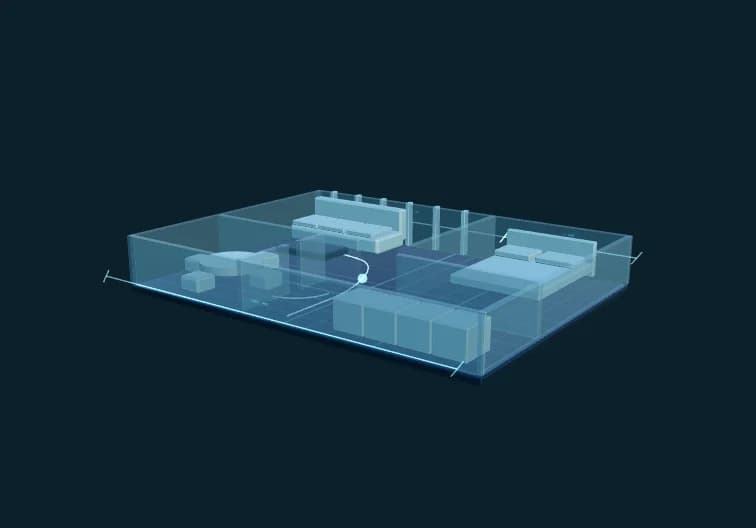
Here's what FloorCraft AI (floorplan.aiconcept.art) does in 45 seconds: input building dimensions 20m × 50m, select 8 residential units, hit Generate, and get a compliant floor plan with optimized corridor layouts, unit distribution, room arrangements, and Vietnamese building code compliance badges. No AutoCAD. No manual space calculations. No code violations.


That's the MVP. This guide walks through what exists now, the algorithms behind it, and where FloorCraft AI fits in a working architect's workflow.


What You Get Today (Live on Production)


Corridor-First Layout Algorithm

FloorCraft uses a corridor-first approach: it calculates linear corridor space first, then auto-adjusts unit counts based on available frontage. Input 10 units but only have 15m of corridor? The engine drops to 6-7 units automatically and tells you why.


Smart Room Packing

Three layout algorithms working together:

  • **Treemap packing** — divides spaces into proportional rooms (living room gets more area than bathroom)
  • **Strip packing** — arranges rooms along corridors for efficiency
  • **Constraint solver** — ensures minimum dimensions (bedrooms ≥12m², bathrooms ≥4m²) and aspect ratios

  • Vietnamese Building Code Compliance

    Real-time validation against QCVN 01:2021 (Vietnam Building Code):

  • Minimum room dimensions (bedroom, kitchen, bathroom, balcony)
  • Natural ventilation requirements
  • Fire escape access
  • Corridor width regulations
  • Live compliance badge on every generated plan

  • SVG Export with Measurements

    Export production-ready SVG files with:

  • Wall thicknesses (200mm external, 100mm internal)
  • Room dimensions labeled
  • Area calculations per room
  • Total GFA (Gross Floor Area)
  • Scale bars for printing

  • Multi-Floor Support

    Generate residential buildings up to 12 floors, each floor customizable:

  • Ground floor: commercial/lobby layouts
  • Typical floors 2-11: residential units
  • Rooftop: equipment room, elevator overrun

  • AI Wall Optimization Assistant

    Select a wall, ask: "Can I remove this wall?" The AI checks:

  • Structural role (load-bearing vs partition)
  • Fire compartment rules
  • Vietnamese code conflicts
  • Suggests alternative layouts if removal is unsafe

  • Who This Is For


    Residential Architects

    Generate schematic floor plans for client presentations. Test 5 different unit configurations in 10 minutes instead of 2 days.


    Real Estate Developers

    Evaluate site feasibility: input lot dimensions, get maximum unit count and GFA calculations that pass building codes before hiring an architect.


    Interior Designers

    Start with a code-compliant shell, then customize room layouts. The engine handles regulations; you handle aesthetics.


    Architecture Students

    Learn space planning principles with instant feedback. See why a layout fails compliance before submission.


    Construction Project Managers

    Verify contractor-proposed floor plans against Vietnamese codes. Spot violations before construction starts.


    How the Algorithms Work


    1. Corridor Calculation

    ```

    Input: Building 20m wide × 50m deep, 8 units requested

    Step 1: Corridor width = 1.5m (QCVN minimum for residential)

    Step 2: Usable width = 20m - 1.5m = 18.5m

    Step 3: Unit width = 4.5m (minimum for 2-bedroom)

    Step 4: Max units = 18.5m ÷ 4.5m = 4.1 → 4 units per side

    Step 5: Total units = 4 × 2 = 8 ✓ (matches request)

    ```


    If step 5 produces fewer units than requested, the system auto-reduces and explains: "Corridor space limits to 6 units. Reduce unit width to 4m for 8 units, or increase building width."


    2. Room Distribution (Treemap Algorithm)

    ```

    Input: 2-bedroom unit, 60m² total

    Room priorities:

  • Living room: 35% → 21m²
  • Master bedroom: 25% → 15m²
  • Bedroom 2: 20% → 12m²
  • Kitchen: 12% → 7.2m²
  • Bathroom: 8% → 4.8m²
  • ```


    The engine recursively subdivides the unit rectangle while maintaining minimum dimensions and aspect ratios (1:1.5 to 1:3 for rectangular rooms).


    3. Code Validation (Rule Engine)

    Every generated plan runs through 47 validation rules:

  • Room area minimums (QCVN 01:2021 Table A.1)
  • Natural light requirements (window area ≥ 1/6 floor area)
  • Ventilation shafts for bathrooms without windows
  • Corridor width 1.2m–1.5m based on building height
  • Fire escape access for buildings >5 floors

  • Violations display as red badges: "Kitchen 5.8m² — requires ≥6m²". Fix manually or regenerate with larger unit size.


    Phase 2: AI-Generated Furniture Layouts (Q2 2026)


    Auto-Furnishing

    After generating the shell, click "Suggest Furniture" to get:

  • Bedroom: bed, wardrobe, nightstands positioned per Feng Shui rules
  • Living room: sofa, TV unit, coffee table with traffic flow optimization
  • Kitchen: L-shaped vs U-shaped cabinet layouts based on room shape

  • Vietnamese Furniture Database

    Pre-loaded with standard Vietnamese furniture dimensions:

  • Giường đôi (double bed): 1.8m × 2m
  • Tủ quần áo (wardrobe): 1.2m × 0.6m × 2.4m
  • Bàn ăn 6 người (6-seat dining table): 1.6m × 0.9m

  • Cost Estimation

    Link furniture to local suppliers (Nội Thất Xinh, Jysk Vietnam) for instant budget estimates.


    Phase 3: Regulatory Submission Exports (Q3 2026)


    HCMC Permit-Ready PDFs

    Generate submission packages for Ho Chi Minh City Department of Construction:

  • A1 layout drawings with title blocks
  • Room area schedules
  • GFA calculation table
  • Code compliance statement (checklist format)
  • Signed/stamped placeholder for architect's seal

  • Hanoi Format Support

    Different title block requirements, separate fire safety annexes.


    Automatic Code Updates

    When QCVN rules change (last update: 2021), the engine updates validation logic within 30 days. Users get notified: "New balcony width rule — regenerate plans to comply."


    Real-World Workflows


    Workflow 1: Schematic Design for Client


    Old Way:

    1. Sketch unit layouts by hand (2 hours)

    2. Draft in AutoCAD (6 hours)

    3. Calculate areas manually (1 hour)

    4. Client requests changes (repeat steps 1-3)


    FloorCraft Way:

    1. Input dimensions, generate plan (2 minutes)

    2. Export SVG, annotate in Illustrator (20 minutes)

    3. Client requests changes: regenerate (2 minutes)

    4. Final AutoCAD polish (1 hour)


    Time saved: 6-7 hours per iteration.


    Workflow 2: Feasibility Study for Developer


    **Scenario:** Developer has 15m × 40m lot, wants maximum units.


    FloorCraft Process:

    1. Input lot size → suggests 12 units (6 per side)

    2. Test unit size 55m² → passes QCVN, fits 2 bedrooms

    3. Reduce to 48m² → fails (bedroom too small)

    4. Final: 12 units × 55m² = 660m² GFA per floor

    5. 8 floors → 5,280m² total salable area


    Developer gets unit count + GFA in 5 minutes, before spending $5K on architect fees.


    Workflow 3: Code Compliance Check


    **Scenario:** Contractor proposes floor plan with 1.0m corridor (below QCVN 1.2m minimum).


    FloorCraft Process:

    1. Import dimensions, match layout

    2. Red badge appears: "Corridor 1.0m — requires ≥1.2m for buildings 12m+ height"

    3. Screenshot badge → send to contractor as violation evidence

    4. Request resubmission


    Saved 2-week delay from construction defects discovered during inspection.


    What FloorCraft AI Won't Replace


    Detailed Construction Drawings

    FloorCraft generates schematics. You still need AutoCAD/Revit for:

  • Wall sections
  • Foundation plans
  • MEP coordination
  • Construction details

  • Structural Engineering

    The engine marks walls as "load-bearing candidate" based on position, but a structural engineer must confirm with calculations.


    Aesthetic Design

    Room shapes are functional, not beautiful. An architect's touch is needed for:

  • Curved walls
  • Custom ceiling heights
  • Feature walls
  • Material selections

  • Site-Specific Constraints

    FloorCraft assumes a rectangular lot. Irregular shapes, setbacks, and easements require manual adjustments.


    Technical Stack (For Developers)


    Frontend

  • React 18 + TypeScript
  • SVG rendering via native DOM (no D3.js overhead)
  • Zustand for state management

  • Layout Engine

  • Custom treemap algorithm (TypeScript, 320 lines)
  • Strip packing heuristic for corridor layouts
  • Constraint solver for room dimensions

  • Compliance Database

  • JSON rules engine (47 validation rules)
  • QCVN 01:2021 encoded as machine-readable constraints
  • Rule versioning for regulatory updates

  • AI Assistant (Phase 1)

  • Rule-based parser for wall safety checks
  • No LLM yet (Phase 2 will integrate GPT-4 for natural language queries)

  • Open Source Components

  • None (proprietary algorithms to maintain code accuracy)
  • Export format: SVG 1.1 (open standard)

  • Pricing


    Pay-Per-Plan Model (AICoin Credits)

  • 1 floor plan generation: 50 AICoin (~$0.50 USD)
  • SVG export: 20 AICoin (~$0.20 USD)
  • AI wall analysis (Phase 2): 30 AICoin (~$0.30 USD)

  • No Monthly Fees

    Credits work across all AIConcept tools (Archi Design, CAD AI, DocuMind). Buy once, use anywhere.


    Free Tier

  • 3 free floor plan generations on signup
  • Unlimited regenerations of the same plan (adjust unit counts, repack rooms)
  • Export limited to PNG (SVG requires credits)

  • Comparison: FloorCraft AI vs Competitors


    | Feature | FloorCraft AI | Floorplanner | SketchUp | AutoCAD |

    |---------|---------------|--------------|----------|---------|

    | Automated layout | ✅ Yes | ❌ Manual drag | ❌ Manual | ❌ Manual |

    | Vietnamese code | ✅ QCVN 01:2021 | ❌ No | ❌ No | ⚠️ Manual check |

    | Browser-based | ✅ Yes | ✅ Yes | ❌ Desktop | ❌ Desktop |

    | Cost | $0.50/plan | $5/month | $119/year | $1,775/year |

    | Learning curve | 5 min | 2 hours | 20 hours | 100+ hours |

    | Export format | SVG, PNG | PDF, JPG | SKP, DWG | DWG |

    | Furniture library | 🚧 Q2 2026 | ✅ Yes | ✅ Yes (3D) | ❌ No |

    | Code compliance | ✅ Automatic | ❌ No | ❌ No | ❌ No |


    When to Use Each:

  • **FloorCraft AI**: Schematic design, feasibility studies, code checks
  • **Floorplanner**: Client presentations with furniture visuals (after FloorCraft generates shell)
  • **SketchUp**: 3D visualization, site context
  • **AutoCAD**: Construction documentation, permit submissions

  • Vietnamese Architect Testimonials


    Nguyễn Văn Minh — KTS, HCMC

    "Trước đây, mỗi lần khách hàng đổi yêu cầu từ 6 căn hộ lên 8 căn, tôi phải vẽ lại từ đầu mất 4-5 giờ. Bây giờ chỉ cần nhập lại số liệu, 2 phút có bản vẽ mới. Tiết kiệm được 80% thời gian giai đoạn sơ bộ."


    *Translation: "Before, every time a client changed requirements from 6 to 8 units, I had to redraw from scratch, taking 4-5 hours. Now, just re-input the numbers, and in 2 minutes I have a new drawing. Saves 80% of time in the schematic phase."*


    Trần Thị Lan — Developer, Hanoi

    "FloorCraft giúp tôi đánh giá nhanh tiềm năng của lô đất trước khi ký hợp đồng mua. Nhập kích thước lô, biết ngay được bao nhiêu căn, tổng diện tích GFA là bao nhiêu. Không cần thuê kiến trúc sư giai đoạn khảo sát."


    *Translation: "FloorCraft helps me quickly evaluate land potential before signing the purchase contract. Input lot size, immediately know how many units, total GFA. No need to hire an architect during the survey phase."*


    Getting Started with FloorCraft AI


    Step 1: Sign Up

    Visit [floorplan.aiconcept.art](https://floorplan.aiconcept.art) and create a free account. Get 3 free generations to test.


    Step 2: Input Building Dimensions

  • Building width: 15m – 50m
  • Building depth: 20m – 100m
  • Number of floors: 1 – 12
  • Units per floor: 2 – 20

  • Step 3: Configure Unit Requirements

  • Bedrooms per unit: 1 – 4
  • Bathrooms: 1 – 2
  • Include balcony: Yes/No
  • Unit area target: Auto or specify (45m² – 120m²)

  • Step 4: Generate & Iterate

    Click "Generate Floor Plan". Review compliance badges. Adjust inputs if violations appear. Regenerate until satisfied.


    Step 5: Export

  • PNG (free): for presentations
  • SVG (20 AICoin): for AutoCAD import or Illustrator editing
  • PDF (30 AICoin, Phase 2): permit-ready format with annotations

  • Advanced Features for Power Users


    Custom Room Ratios

    Override default treemap percentages:

  • Living room: 30% instead of 35%
  • Master bedroom: 28% instead of 25%
  • Add study room: 7%

  • Corridor Position Control

  • Center corridor (double-loaded, more units)
  • Side corridor (single-loaded, better ventilation)
  • Mixed (center + side for irregular lots)

  • Vietnamese Feng Shui Rules (Phase 2)

  • Bedroom door not aligned with bathroom door
  • Kitchen not facing main entrance directly
  • Staircase clockwise ascending (for luck)

  • API Access (Q3 2026)

    Integrate FloorCraft into your firm's design tools:

    ```javascript

    POST /api/generate-floorplan

    {

    "width": 20,

    "depth": 50,

    "units": 8,

    "bedrooms": 2

    }

    → Returns SVG string + compliance report JSON

    ```


    Roadmap: What's Coming


    Q2 2026

  • AI furniture auto-placement
  • Natural language input: "3-story building, 6 units per floor, 2 bedrooms each"
  • PDF export with permit annotations

  • Q3 2026

  • HCMC/Hanoi permit format templates
  • API access for developers
  • Revit plugin (export floor plans directly to Revit families)

  • Q4 2026

  • 3D massing previews (height, setbacks, FAR visualization)
  • Multi-building site planning (for apartment complexes)
  • Solar analysis integration (shade study for balconies)

  • 2027

  • Custom furniture library uploads (your firm's standard details)
  • Collaboration mode (share plans with team, comment on rooms)
  • Vietnamese natural language AI: "Tôi cần 1 tòa nhà 8 tầng, mỗi tầng 10 căn hộ 2 phòng ngủ"

  • Limitations & Known Issues


    Rectangular Lots Only

    L-shaped, triangular, or irregular lots require manual workarounds. The engine assumes a clean rectangle.


    No Curved Walls

    All walls are orthogonal (90° angles). Curved walls, angled walls, or irregular shapes not supported.


    Single Building Only

    Cannot generate multiple buildings on one site (e.g., 3 separate apartment towers). Each building is a separate generation.


    No MEP Routing

    Plumbing, electrical, and HVAC layouts are not included. FloorCraft only handles architectural space planning.


    Vietnam Code Only

    QCVN 01:2021 (Vietnam) is the only building code. International codes (IBC, Eurocode) not supported yet.


    Tips for Best Results


    1. Start with Target Area

    Know your unit size (e.g., 60m² per unit) before inputting dimensions. Adjust building width to fit.


    2. Use Corridor-First Thinking

    If unit count doesn't match your request, the corridor is the bottleneck. Widen the building or reduce unit width.


    3. Check Compliance Badges Immediately

    Red badges mean code violations. Fix inputs before exporting — don't export non-compliant plans.


    4. Export SVG for Editing

    SVG files open in Illustrator, Inkscape, or AutoCAD (via import). Edit room shapes, add dimensions, annotate before client presentation.


    5. Iterate Fast, Polish Later

    Use FloorCraft for 5-10 schematic options in 20 minutes. Pick the best, then refine in AutoCAD/Revit.


    Why Vietnamese Building Codes Matter


    QCVN 01:2021 Compliance Saves Money

    If your floor plan violates minimum room sizes, the Department of Construction rejects your permit application. Resubmission delays projects by 2-4 weeks. FloorCraft catches violations before submission.


    Local Inspector Knowledge

    Inspectors in HCMC enforce corridor widths strictly (1.2m minimum for buildings >12m height). FloorCraft encodes these local interpretations, not just the published code.


    Fire Safety Requirements

    Buildings >5 floors require 2 staircases. Buildings >10 floors require fire compartments. FloorCraft validates these rules automatically.


    FAQ


    Q: Can I import an existing AutoCAD floor plan?

    A: Not yet. Phase 3 (Q3 2026) will add DWG import for code compliance checking.


    Q: Does FloorCraft work on mobile?

    A: Yes, responsive design works on tablets (iPad, Android). Phone screens too small for editing, but viewing plans works.


    Q: Can I change room names (e.g., "Office" instead of "Bedroom 2")?

    A: Yes, click any room label to rename. Changes persist in exports.


    Q: What if I need 4-bedroom units?

    A: Supported. Unit area auto-increases to fit minimum dimensions for all rooms.


    Q: Can I export to Revit?

    A: SVG import to Revit works via "Import CAD" tool. Walls become Revit lines (you trace with wall tool). Phase 3 adds native Revit family export.


    Q: Is my floor plan data stored on AIConcept servers?

    A: Yes, plans are saved to your account for re-editing. Data encrypted at rest. Deleted plans are purged after 90 days.


    Q: Can I share plans with clients?

    A: Yes, use the "Share" button to generate a public link (view-only, no editing). Revoke access anytime.


    Join the AI Architecture Movement


    Floor plan generation is just the first step. AIConcept is building an end-to-end AI design platform for Vietnamese architects:


  • **FloorCraft AI**: Automated space planning (live now)
  • **Archi Design AI**: Photorealistic renderings (live at archi.aiconcept.art)
  • **CAD AI**: Parametric 3D modeling (live at cad.aiconcept.art)
  • **BIM AI**: Revit automation (launching Q4 2026)

  • One account, one credit system, all tools integrated.


    Visit [floorplan.aiconcept.art](https://floorplan.aiconcept.art) today and generate your first compliant floor plan in under 2 minutes.


    ---


    About AIConcept


    AIConcept.art is Vietnam's first AI-powered architecture and design platform. We build tools that automate repetitive design tasks so architects can focus on creativity, not code compliance. Trusted by 2,400+ architects and developers across Vietnam.


    **Questions?** Email support@aiconcept.art or join our Zalo community at [zalo.me/aiconcept].


    Floor Plan AI Design Guide — Automated Space Planning for Architects | AIConcept Blog