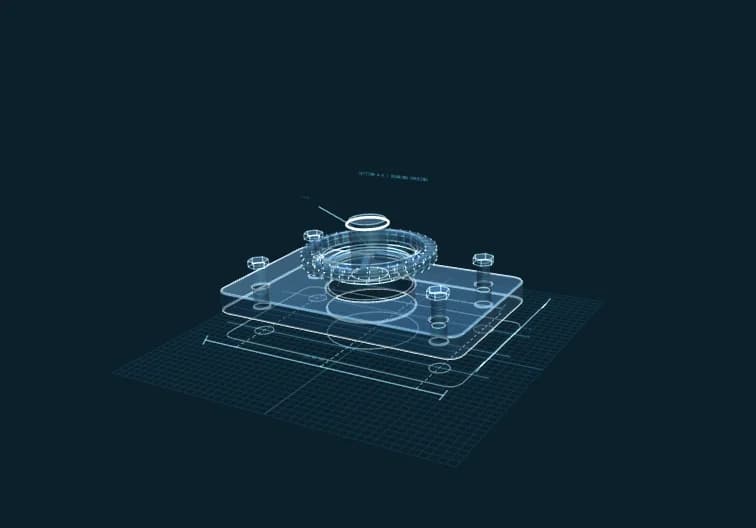
Building with CAD AI — Next-Generation Design Tools for Architects
Explore how CAD AI is transforming architectural workflows with AI-powered technical drawing, parametric design, and browser-based 3D modeling — no installation required.
Building with CAD AI — Next-Generation Design Tools for Architects
Here's what CAD AI (cad.aiconcept.art) does in 30 seconds: you type "gear 20 teeth module 2", hit Generate, and get a parametric 3D gear model ready for export to STL, OBJ, or DXF. No desktop software. No license fees. No installation.
That's the MVP. This guide walks through what exists now, what's coming in Q2, and where CAD AI fits in a working architect's stack.
What You Get Today (MVP Phase)
Browser-Based OpenSCAD Compilation
CAD AI runs OpenSCAD WASM directly in your browser. Write parametric code or use keyword generation, compile to 3D models client-side. Your design data never leaves your machine until you choose to export.
Three.js 3D Viewport
Real-time 3D preview with orbit controls, zoom, pan. Rotate your models to inspect geometry before export.
Multi-Format Export
Keyword-Driven Generation (Phase 1)
Simple mechanical parts from text:
This is not text-to-CAD AI yet — it's template expansion. Type a keyword, get a pre-coded OpenSCAD snippet. Phase 2 (Q2 2026) brings real LLM-driven geometry generation.
Who This Is For
Mechanical Engineers
Generate parametric parts for assemblies. Export STL for rapid prototyping.
Product Designers
Iterate on enclosures, brackets, and fittings without firing up Fusion 360.
Architects
Prototype custom building components — facade panels, joinery details, parametric screens — then export to your main CAD tool.
Students & Educators
Learn parametric design with zero software costs. Browser-based means it runs on Chromebooks.
Fabrication Shops
Quick toolpath generation for simple parts. Export DXF for CNC.
Phase 2: Text-to-CAD with AI (Q2 2026)
Natural Language Input
Instead of learning OpenSCAD syntax:
AI Model Integration
Backend options under evaluation:
Why This Matters
CAD has always been code-centric (OpenSCAD, Grasshopper, AutoLISP). AI lowers the barrier: describe what you need, get parametric code you can edit.
Real-World Workflows
Workflow 1: Custom Facade Panel
Old Way:
1. Open Rhino/Grasshopper
2. Script parametric pattern
3. Bake to mesh
4. Export
5. Import to fabrication tool
**Time:** 2-3 hours for a novel pattern
CAD AI Way:
1. Type "hexagonal panel 500x500 parametric perforation pattern"
2. Adjust parameters in OpenSCAD
3. Export DXF
**Time:** 15-30 minutes
Workflow 2: Joinery Detail Prototyping
Old Way:
CAD joinery from scratch in Revit/ArchiCAD → slow iteration
CAD AI Way:
Generate mortise-tenon joints parametrically → test fit virtually → export for shop drawings
Workflow 3: Student Assignment
**Scenario:** Design a parametric staircase baluster
**Without CAD AI:** Need Rhino license ($995) or Fusion 360 subscription
**With CAD AI:** Free browser access → learn parametric thinking → export for presentation
Technical Architecture (For The Curious)
**Frontend:** React 18 + TypeScript + Vite
**3D Rendering:** Three.js + React Three Fiber
**CAD Engine:** OpenSCAD WASM (GPL v2) — compiles in-browser
**State:** Zustand for app state
**Deployment:** Vercel Edge, globally distributed
Why OpenSCAD?
Why Browser-Based?
Pricing & Credits
CAD AI uses the AICoin credit system shared across all AIConcept tools.
Current (Phase 1):
Phase 2 (AI-Powered):
Why Credits vs Subscription?
Comparison: CAD AI vs Traditional Tools
| Feature | CAD AI | Fusion 360 | Rhino + Grasshopper | OnShape |
|---------|--------|------------|---------------------|---------|
| **Install** | None (browser) | Desktop app | Desktop app | None (browser) |
| **Pricing** | Pay-per-use | $680/year | $995 + $395 | $1500/year |
| **Parametric** | Yes (code-first) | Yes (timeline) | Yes (visual script) | Yes (FeatureScript) |
| **AI Generation** | Q2 2026 | No | No | No |
| **Collaboration** | Share URL | Cloud collab | Manual | Cloud collab |
| **Learning Curve** | Low → Med | Medium | High | Medium |
| **Export Formats** | STL, OBJ, DXF | Many | Many | Many |
When to use CAD AI:
When to use traditional CAD:
Limitations (Transparency Matters)
What CAD AI Won't Replace (Yet):
What It's Good At:
Getting Started (5-Minute Walkthrough)
**Step 1:** Visit [cad.aiconcept.art](https://cad.aiconcept.art)
**Step 2:** Sign in (free AIConcept account)
**Step 3:** Try keyword generation:
Type: `cube 100 100 100`
Click Generate → see 3D preview
**Step 4:** Adjust OpenSCAD code (left panel):
Change `100` to `50` → instant update
**Step 5:** Export
Click Export → choose STL → download
**Step 6:** Explore templates
Gear, bracket, enclosure templates → parametric starting points
Phase 2 Roadmap (Q2 2026)
Text-to-CAD AI Backend
Advanced Features
Collaboration
API Access
Security & Privacy
Data Handling:
Compliance:
Community & Support
Documentation:
Support Channels:
What Architects Are Saying (Early Access)
Nguyen Minh Tuan, Hanoi-based Architect:
*"I use CAD AI for custom facade panel prototyping. Generate → export DXF → send to fabricator. Saves 2 hours per iteration."*
Le Hoang Anh, Product Designer:
*"No more waiting for Fusion 360 to load. Browser-based means I prototype on my laptop during client meetings."*
Tran Duc Manh, Engineering Student:
*"Finally learning parametric design without spending $1000 on software. CAD AI made OpenSCAD accessible."*
Join the CAD AI Beta
Phase 2 beta testing starts May 2026. Early access includes:
**Sign up:** [cad.aiconcept.art/beta](https://cad.aiconcept.art)
The Bigger Picture
CAD AI is part of Vietnam's AI-powered creative platform ecosystem. One AIConcept account gets you:
All tools share AICoin credits. Design workflow integration, not tool silos.
What's Next?
Phase 2 launches Q2 2026 with text-to-CAD AI. Until then, Phase 1 is live and free for parametric generation.
This is not hype. It's a working MVP with a clear roadmap. Try it, break it, tell us what you need.
Visit [cad.aiconcept.art](https://cad.aiconcept.art) today.
---
About AIConcept
AIConcept.art is Vietnam's leading AI-powered creative platform for architecture, engineering, and design. Our mission: make professional-grade AI tools accessible to everyone, regardless of budget or location.
**Open Source:** CAD AI incorporates OpenSCAD WASM (GPL v2). Full source and compliance details at [github.com/aiconcept/cad-app](https://github.com/aiconcept).
**Questions?** Email cad@aiconcept.art or join our Zalo community.